%link{rel: "stylesheet", href: "https://fonts.googleapis.com/css?family=Raleway:300,400,500,600,700&display=swap"}

Invoice your Shopify orders in inFakt - automatically with inFakt Integration.

Connect your store, choose the moments that matter, and let inFakt Integration create the right accounting documents while your team stays in Shopify.

Install FREE
Shopify logo

Shopify App Store

The Netkodo inFakt Integration - From order data to a document your business can use.

inFakt Integration removes the repeat work between Shopify and your accounting workflow. It turns the order, buyer, payment and tax details already held in Shopify into the correct document in inFakt - according to rules you choose.

It is designed for the real-world cases that make invoicing hard: mixed B2B and B2C sales, timing rules, NIP details, shipping lines, payment updates and EU OSS flows.

Various document types - Invoices, pro formas, bills and receipts

B2B + B2C rules - Separate automation paths for each

Inside Shopify - Set up and manage documents in context

Less invoice administration. More control.

Stop copying order data

Eliminate the repetitive transfer and cross-checking of customer data, product lines, delivery costs and payment information.

Match your sales workflow

Choose whether documents are created when an order is created, paid or fulfilled - rather than forcing one process on every store.

Handle B2B and B2C properly

Give company and personal orders their own document types and trigger rules, based on the buyer’s tax details.

A short setup. A workflow that keeps running.

Connect inFakt

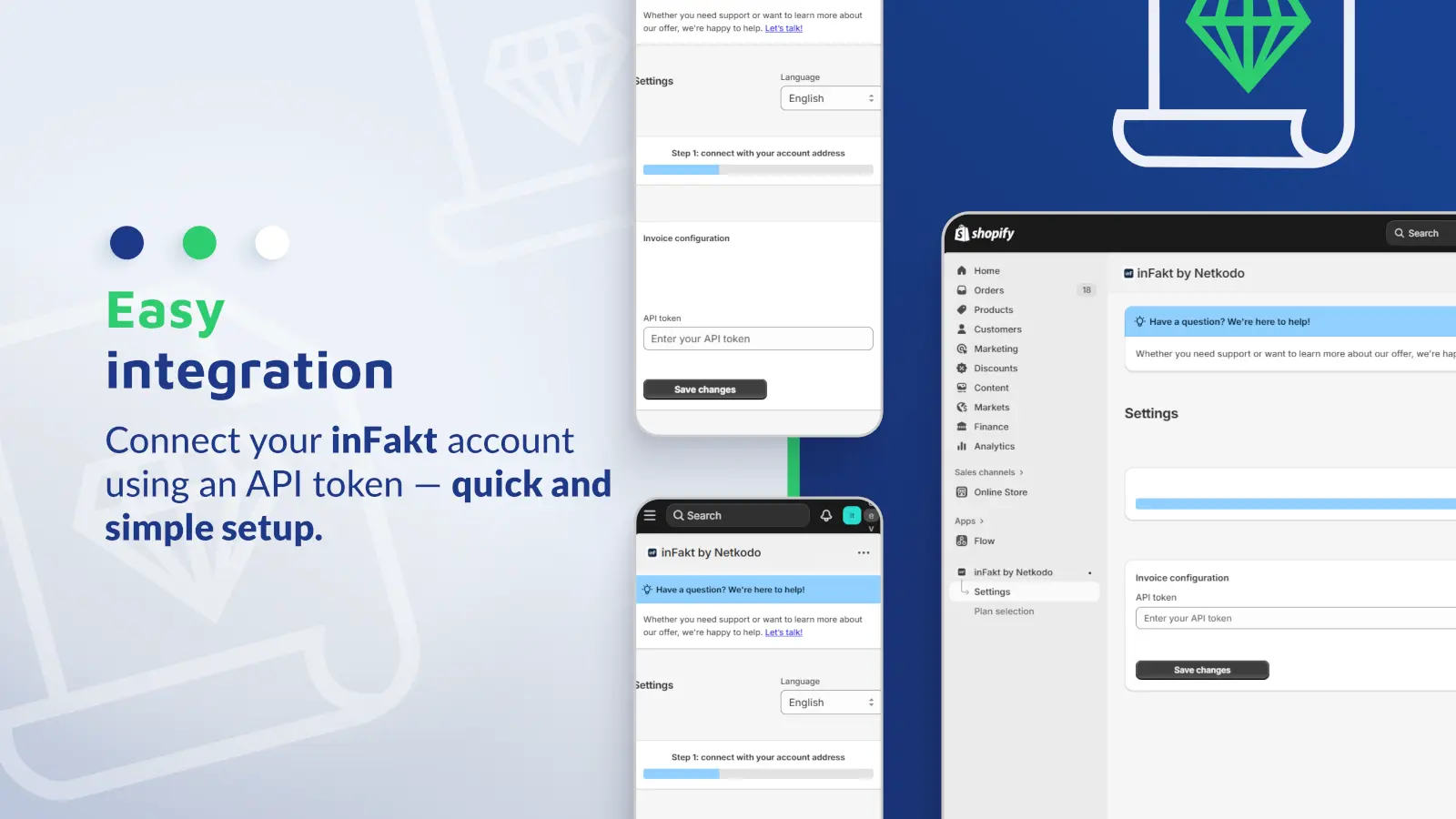
Add your inFakt API token in the embedded Shopify app and validate the connection.

Set document rules

Configure the document types and automation triggers for personal and company orders.

Order event happens

Shopify sends the order through the selected point in its lifecycle.

Document stays accessible

Review it in the app, download its PDF, share it by email or handle an exception manually.

A connector was not enough.

Check icon
Different paths for companies and consumers

Company orders and personal orders can require different documents and different moments of issue. The app detects the business context from tax data and applies the relevant trigger configuration.

Check icon
Timing belongs to the merchant

Documents can be issued for any created order, an unpaid created order, a paid order, a completed order - or not automatically at all.

Check icon
Documents need operational context

Numbering templates, comments, quantity units, discounts, payment terms and cancellation behaviour make the output usable in day-to-day accounting work.

Check icon
Work where the order lives

Checkout collection, admin actions and an embedded invoice view keep invoice management close to Shopify rather than creating a separate back-office routine.

How the plugin works (step-by-step)

Four practical document types

Run individual automation logic for invoices, pro forma invoices, bills and receipts.

Checkout NIP collection

A Shopify Checkout UI extension can capture the buyer’s invoice request and tax number.

Order-level admin actions

Create a document for a selected order or check its available invoice link directly from Shopify admin.

Document management

Browse standard and OSS documents, download PDFs and resend document emails without leaving the app.

Accurate order payloads

Pass product and shipping lines, discounts, payment terms, currencies and buyer details into the document workflow.

Automation with a safety valve

Keep repetitive work automatic while retaining manual controls for the orders that need attention.

Create documents at the right order event.

Choose one of the supported triggers: any order created, an unpaid order created, order paid, order completed - or never. Payment status can be synchronized to inFakt when an existing document’s order is paid.

Each document type can have its own trigger, and each trigger can be configured separately for personal and company orders.

Designed as a Shopify product, not a detached connector.

Guided setup in Shopify Admin

Merchants choose a plan, connect with an API token, set document rules and review issued documents in the same embedded workspace.

Checkout and admin touchpoints

Checkout UI and Shopify Admin Action extensions put invoice data collection and manual exception handling where they are needed.

Built for event-driven operations

Shopify order events initiate background document processing, while the app preserves the relationship between the Shopify order and the issued document.

Configure more than a basic data sync.

Set units, comments and document numbering. Decide how order cancellations should be handled. Enable OSS forwarding for eligible EU orders, and collect a buyer’s NIP at checkout when you need it.

For eligible EU orders, OSS forwarding directs documents into a dedicated OSS flow and keeps standard and OSS documents available separately in the app.

FAQ

It links Shopify orders with inFakt and automates document creation from merchant-defined triggers. It also supports payment-status synchronization, document configuration, PDF downloads and document email delivery.

Yes. You can trigger the workflow when any order is created, an unpaid order is created, an order is paid, or an order is completed.

Yes. The app keeps separate trigger configuration for personal and company orders, allowing the appropriate document workflow for each.

Yes. The checkout extension can collect a customer NIP, and the invoice configuration includes OSS forwarding for the relevant EU order scenarios.

The merchant can define the app’s cancellation behaviour, rather than leaving an already issued document unmanaged when the Shopify order changes.

Yes. Shopify admin actions and the embedded invoice view provide manual document creation, status visibility, PDF downloads and email resend actions.

Start free. Scale when you need to.

Install inFakt Integration and configure the invoice workflow that fits your Shopify store. Choose the plan that matches the volume of documents your store creates.
Install FREE
Shopify logo

Shopify App Store