Make terms acceptance a clear step before checkout.
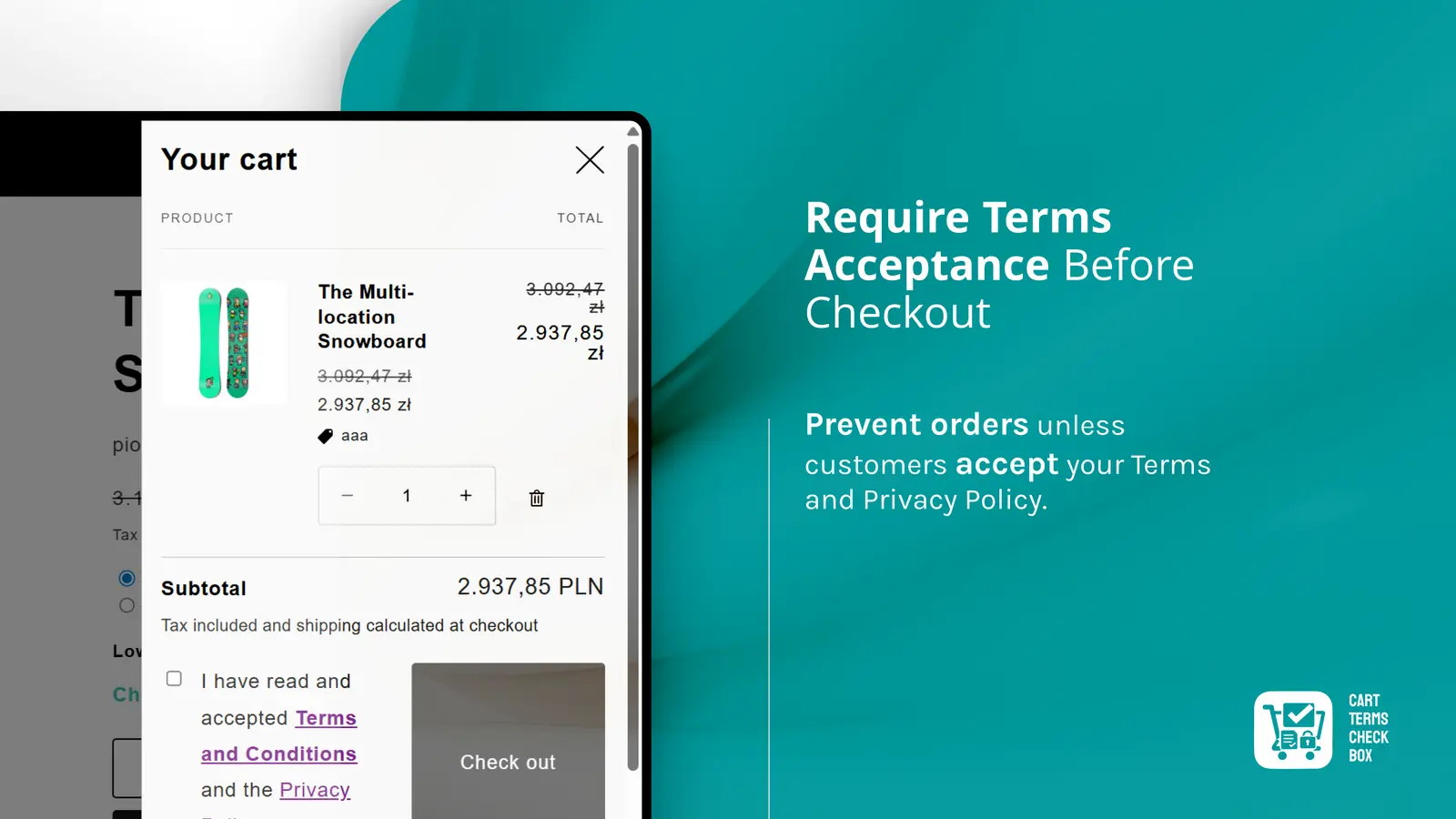
Cart Terms Checkbox adds a required, configurable acceptance field to your cart flow - so shoppers acknowledge the terms you choose before they continue to checkout.
Terms, delivery rules and policy notices are easy to miss when they live elsewhere on a storefront. Cart Terms Checkbox puts the acknowledgement in the cart and makes it a condition of moving forward.
Merchants can adapt both the consent message and its supporting content to their own policies, while keeping the experience consistent with the store’s theme.
Cart-level consent - Shown alongside the checkout action
Storefront controls - Text, links and visual settings
Optional log - Acceptance event with basic metadat
Enable the Cart Terms Checkbox theme app extension in the storefront theme.
Set your acceptance wording and direct the linked text to the relevant store policy.
Optionally include an intro and concise list items that shoppers should see before checkout.
The shopper checks the box; the app records the event and lets the cart proceed to checkout.
Prevents continuation to checkout until the shopper accepts the configured condition.
Use an intro and optional list content to make key shopping information easy to find.
Targets common Shopify checkout controls in both standard carts and cart drawers.
Point the acceptance label to your terms, policy or any relevant page in the store.
Adjust content, title size, font size and selected colours through the block settings.
Supports a background log of consent metadata when the shopper proceeds to checkout.
Use the block for the exact policy flow your store needs. The consent label supports a configurable link, while the extra content area can explain the information that customers most often need before purchasing.
The checkout button is enabled only after the checkbox is selected. This keeps the interaction simple for shoppers and explicit for the store.
The extension places the consent step by the checkout action, including common cart and cart-drawer patterns. It observes storefront updates so the cart experience stays consistent as theme content changes.
When consent is accepted, the app can send a lightweight acceptance record with the timestamp and available IP information to the store’s app backend.
It adds a required consent checkbox to the cart, so customers acknowledge the store’s terms before proceeding to checkout. This helps make policy acceptance harder to overlook.
Yes. The checkbox label is configurable, including the link destination. You can adapt the wording and link it to the policy page that fits your store.
Yes. The block also supports an intro section and multiple configurable list items for short policy highlights, shipping notes or checkout information.
Yes. The block settings include content, font sizing and selected accent colours, making it easier to match the component to your storefront.
Yes. The flow is designed to keep the customer from continuing until the checkbox is checked. Once accepted, checkout proceeds normally.
It can also be recorded. The implementation supports logging the acceptance event with metadata such as timestamp and IP information, providing an additional operational record.